Guide to High Dynamic Range (HDR) Image Editing - Step 3
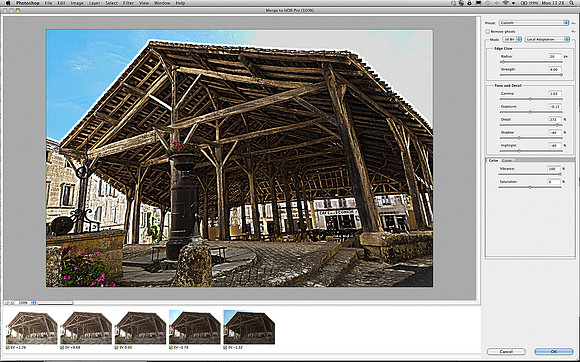
span class="large"Once in Photoshop, the Merge to HDR Pro Adobe-made plug-in launched and I was presented with the Photoshop default that looked..well...it was flat and dead. (The first few times I used the HDR Photoshop feature I was so disappointed with the results that I threw the towel in - like so many things in PS, you have to be unrelentingly persistent....)br/br/One of the signature characteristics of an HDR image is the small scale dark detail, so quite why Adobe choose a default of setting of 30% for the Detail slider is beyond me. In my book it needs to nearer 300% (the maximum). br/br/There are a number of pre-set effects you can choose from - in this case I selected Surrealistic High Contrast and then adjusted the sliders to suit what I was looking for. And my main objective here was to pull as much detail out of the surfaces of the wooden beams - I wanted to get splinters in my fingers just looking at the final photo...if you follow me...!/span