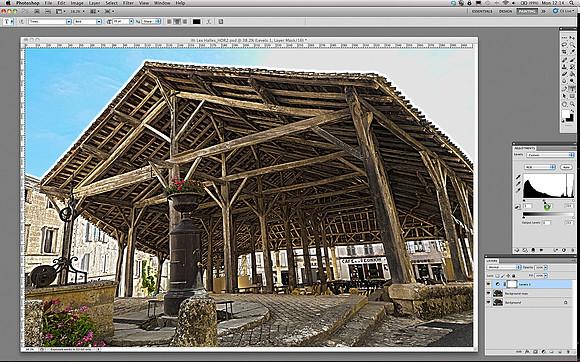
Guide to High Dynamic Range (HDR) Image Editing - Step 5
span class="large"The next Step, was alter the Levels. So I clicked: Layer-gt;New Adjustment Layer-gt;Levels and in the Adjustments panel popped-up. All I wanted to do was to make the image slightly brighter, so I nudged the slider in the centre (the one that controls the gamma) slightly to the left....and job done.br/br/The next thing to fix was the nondescript grey sky in the upper right of the image - see Step 6 for more details./span