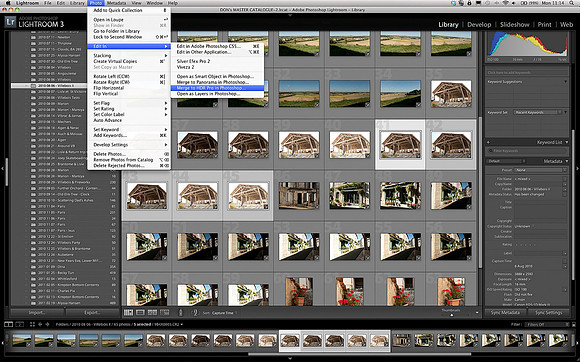
Guide to High Dynamic Range (HDR) Image Editing - Step 2
span class="large"With the photographs stripped off the camera and on my hard-drive, I then imported them into Lightroom, my preferred software for cataloguing my photos and for converting RAW files.br/br/From the menu bar at the top of the screen, I send the five sequenced images direct to Photoshop to begin the HDR processing - I did this by clicking Photo-gt;Edit In-gt;Merge to HDR Pro in Photoshop/span