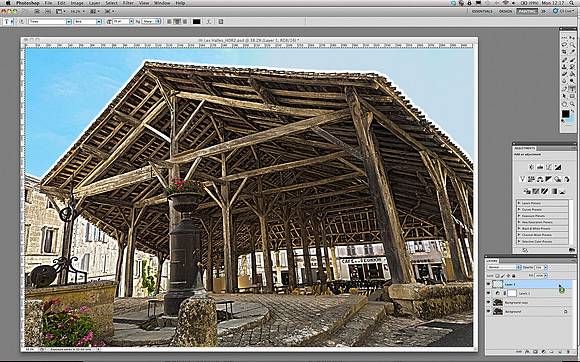
Guide to High Dynamic Range (HDR) Image Editing - Step 6
span class="large"Firstly, I used the Eyedropper Tool to select some blue from the sky on the left of the image. Next, with the Magic Wand Selector and the Tolerance set to 32, I selected the grey lifeless sky on the right.br/br/I then made a new layer by clicking, Layer-gt;New Layer and made sure I was on this layer (see the screen-grab above), before selecting the Paint Bucket Tool to flood-fill the area selected by the Magic Wand.br/br/Lastly and with the Blend Mode set to Normal, I changed the opacity of the Bucket filled Layer to 35% - so as to make the blend more subtle and less obvious./span